3d-assets

3D Assets
Wardrobe
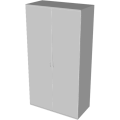
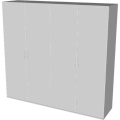
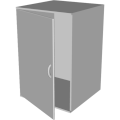
This generator creates a 3D wardrobe. A set of parameters control the size and the shape of the wardrobe. It is possible to generale low-poly wardrobe by reducing its complexity, removing edges and using flat shading. Click on a snapshot to open it online.
Code example
import { Wardrobe } from "3d-assets/wardrobe.js";

var model = new Wardrobe ({
	wings: 2,
	wingWidth: 40,
	height: 150,
	thickness: 1.5,
	depth: 40,
	doorRoundness: .005,
	doorAngle: 0,
	handleThickness: 0.5,
	handleSize: 10,
	handleRoundDetail: 1,
	doorRoundDetail: 1,
	flat: false,
	simple: false,
});
Parameters
General parameters
wings– number of wings (sections) of the wardrobe, [1, 4]wingWidth– width of each wing in cm, [20, 80]height– height of the wardrobe in cm, [60, 210]thickness– thickness of the wardrobe sides, back and doors in cm, [.2, 4]depth– depth of the wardrobe in cm, [20, 80]
Doors parameters
doorRoundness– size of the bevels in percent, [0, .05]doorAngle– rotation of the doors in degrees, [0, 90]
Handles parameters
handleThickness– thickness of the handles in cm, [.1, 1]handleSize– size of the handles in cm, [5, 15]
Complexity parameters
handleRoundDetail– detail of the handle profile, [1, 3]doorRoundDetail– detail of the door bevel, [1, 4]simple– if true the complexity of the profile is reduced, booleanflat– if true flat shading is used, boolean
Internal structure
An instance of Wardrobe is a THREE.Group with one submesh called body and wings subgroups called Door_<i>.
Each subgroup contains two submeshes called door_<i> and handle_<i>.